Book with confidence
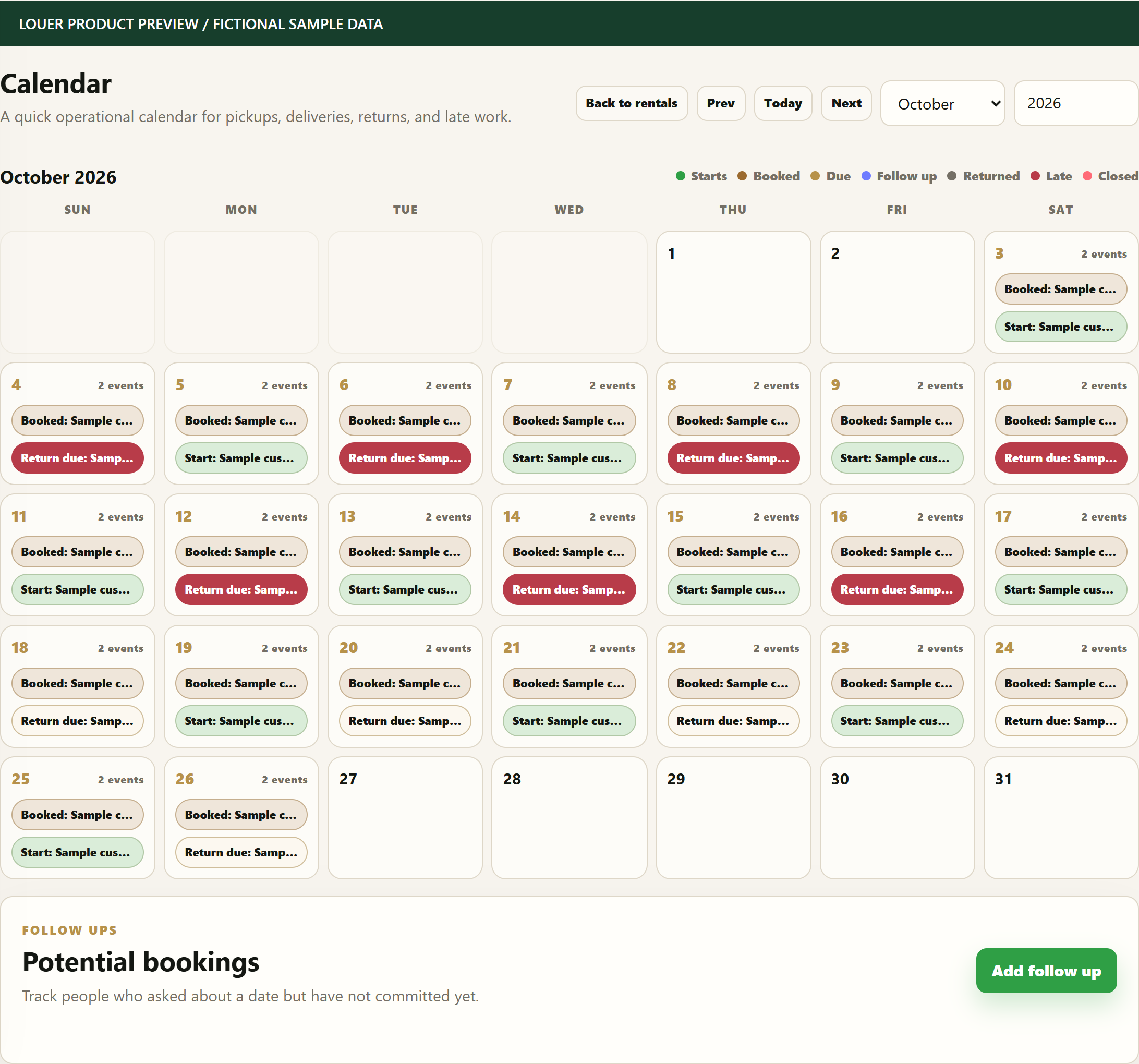
Check dates and availability before saying yes to the next rental.
 LOUER

Find your next rental.
Run your rental business.
The things you need. The businesses that rent them.
Equipment, event essentials, furniture, tools, clothing and bookable spaces. Discover rental items from businesses, narrow your search by category and location, and request the dates and quantities you need.
Browse listings and compare the business, location and rental details.
Add items to a request cart and send your preferred dates and quantities.
The business confirms availability and arrangements. Pay the business only after approval.
Equipment, furniture, tools, clothing and bookable spaces. Different rentals, one connected workflow.

Keep dates, quantities, deliveries and returns together.

Follow equipment from reservation to handoff and return.

Keep furniture quantities, bookings, payments and returns connected.

Keep equipment records, rental quantities and handoffs together.

Follow reservations, customer payments and returned items.

Keep dates, charges and customer details attached to each reservation.
Check dates and availability before saying yes to the next rental.
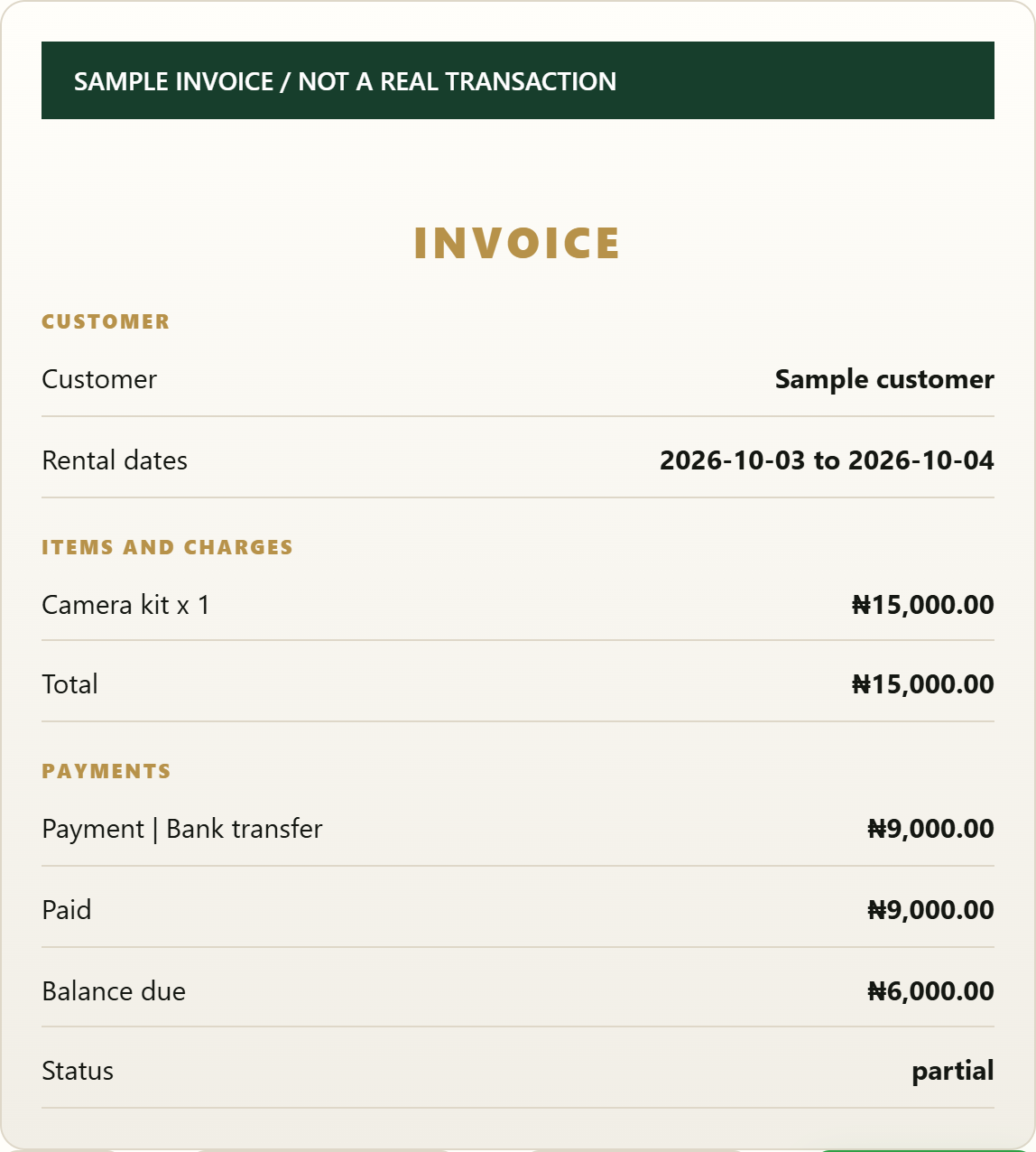
Keep invoices, part payments, balances and receipts in the same workflow.
Give staff the access they need while protecting sensitive business details.
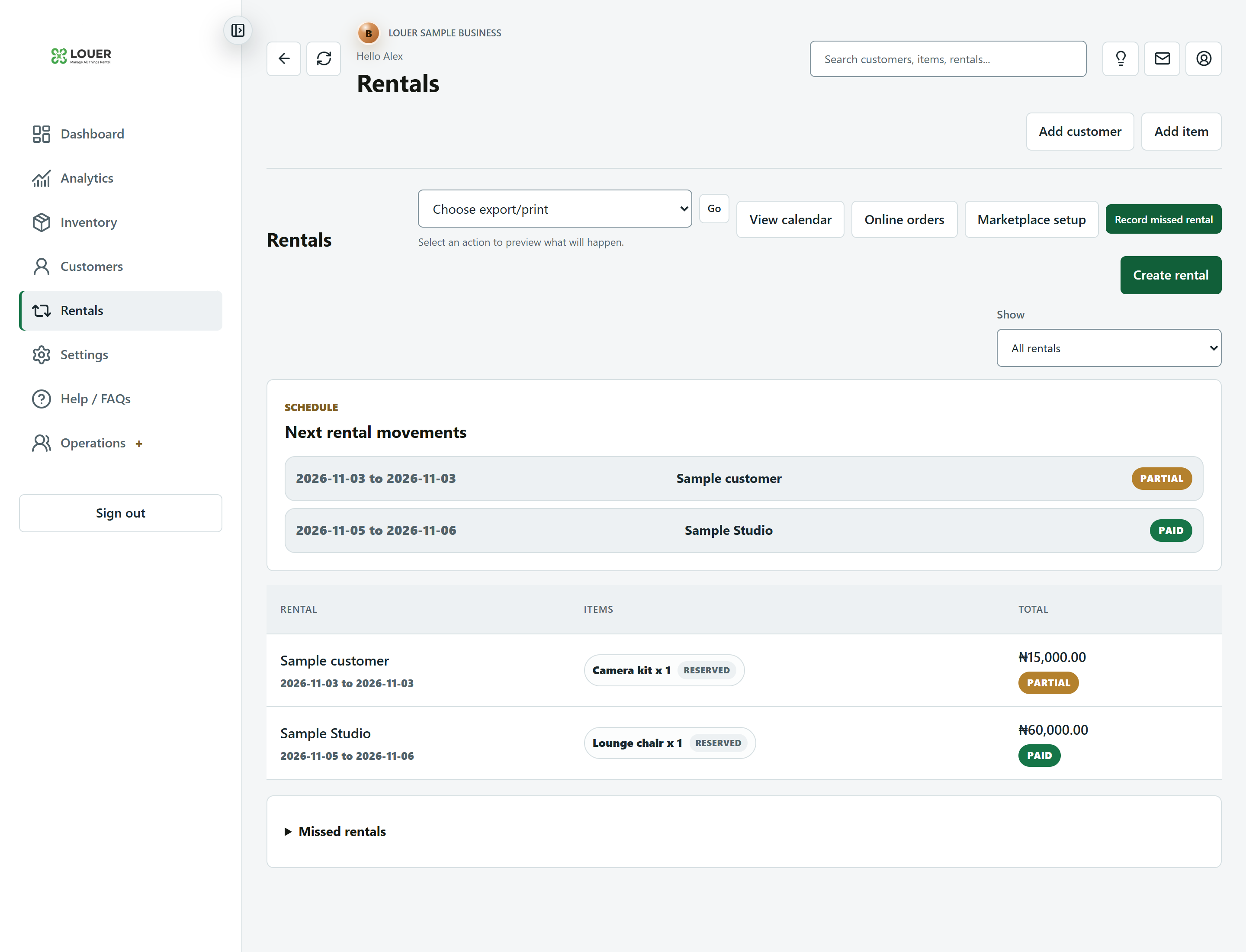
Manage inventory, bookings, customers, payments, staff, returns, expenses, documents, and online enquiries.
Browse public listings, add items to a request cart, and wait for each business to confirm availability before payment.
Explore marketplace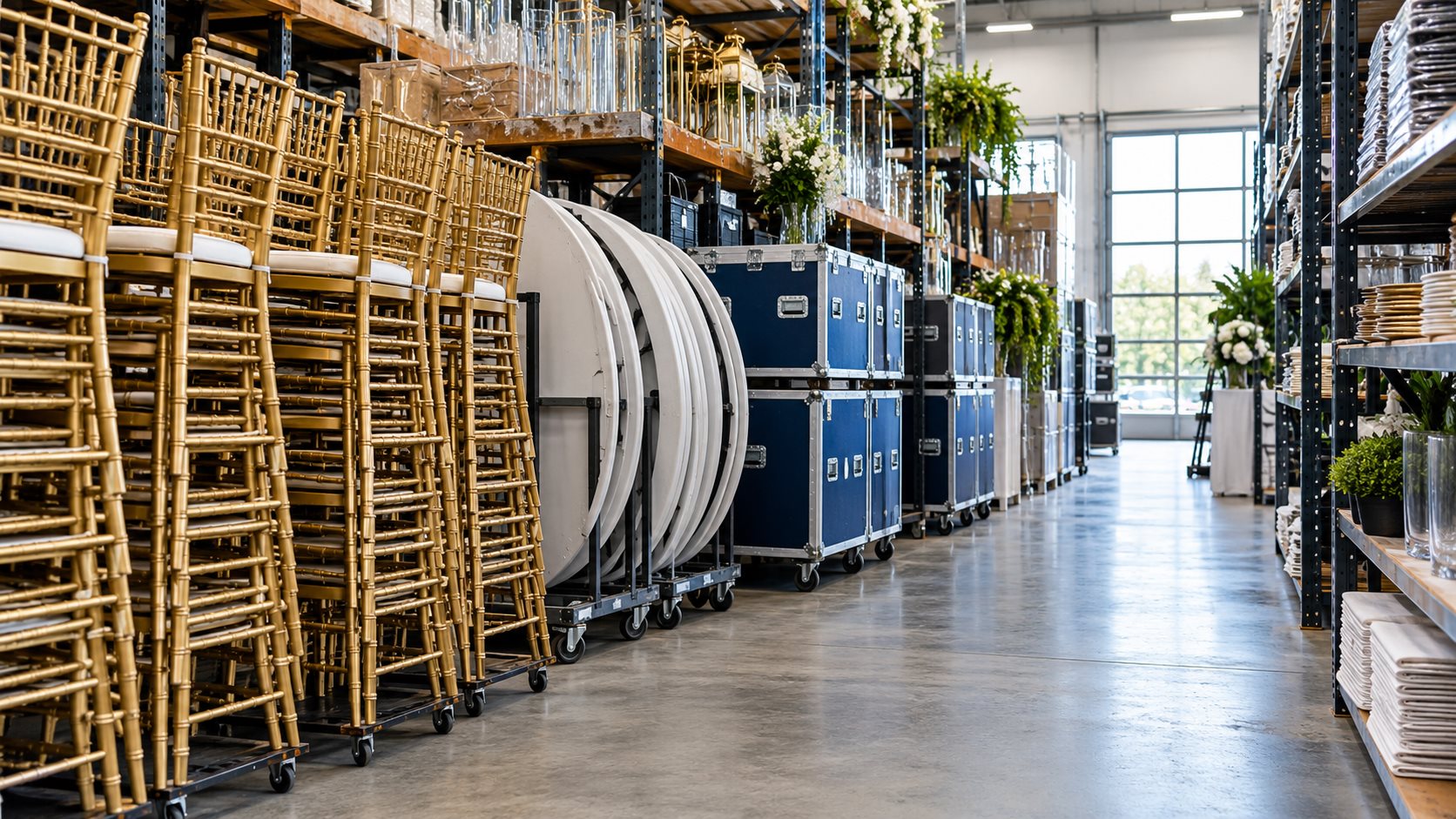
One place for your stock, bookings, customers and the team behind every rental.
Track what is available, what is booked, what is with customers, who has paid, what is late, and what needs attention.
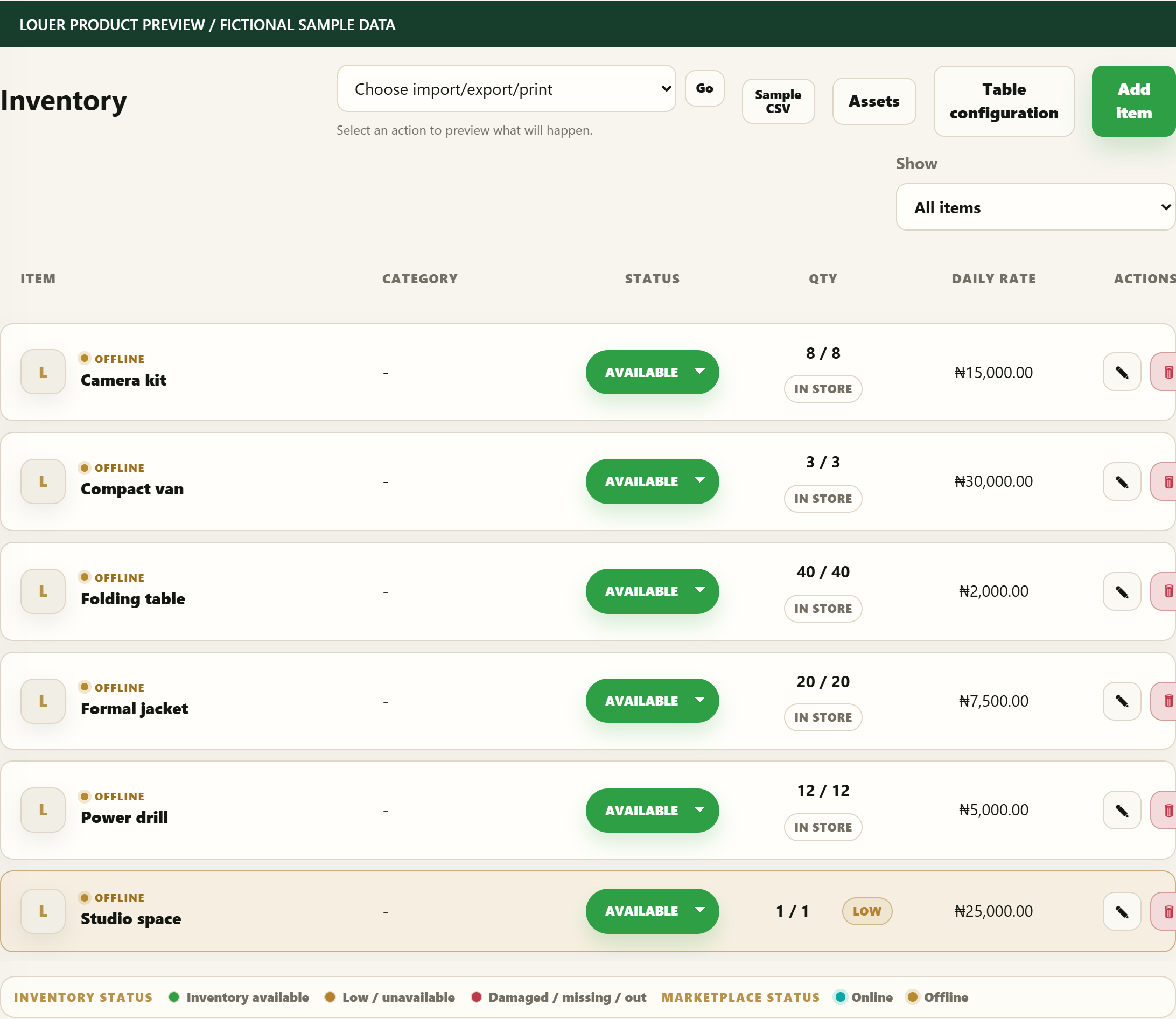
Keep quantities and date availability together before accepting the next rental.
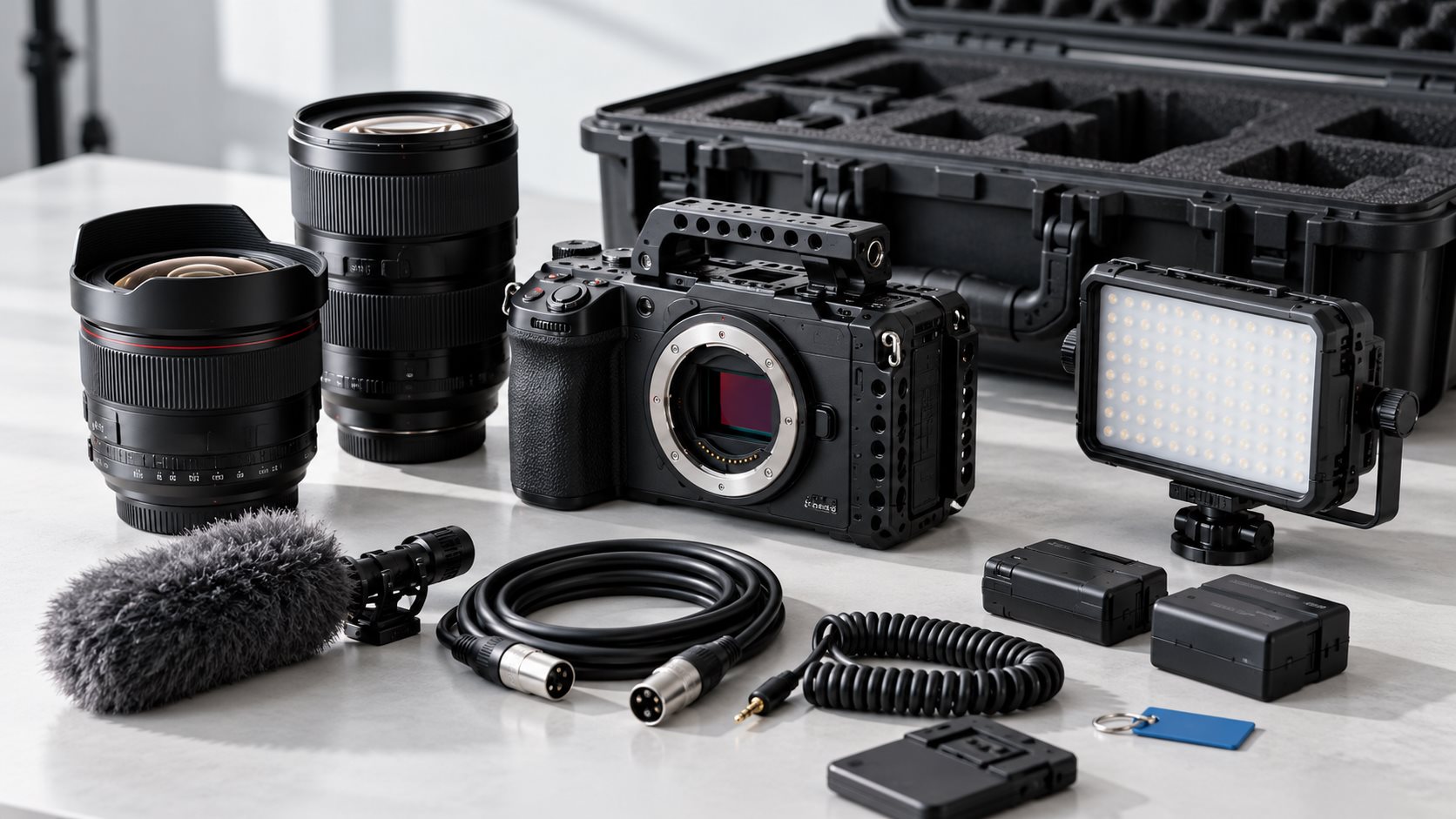
Record what went out, what came back and what still needs attention.
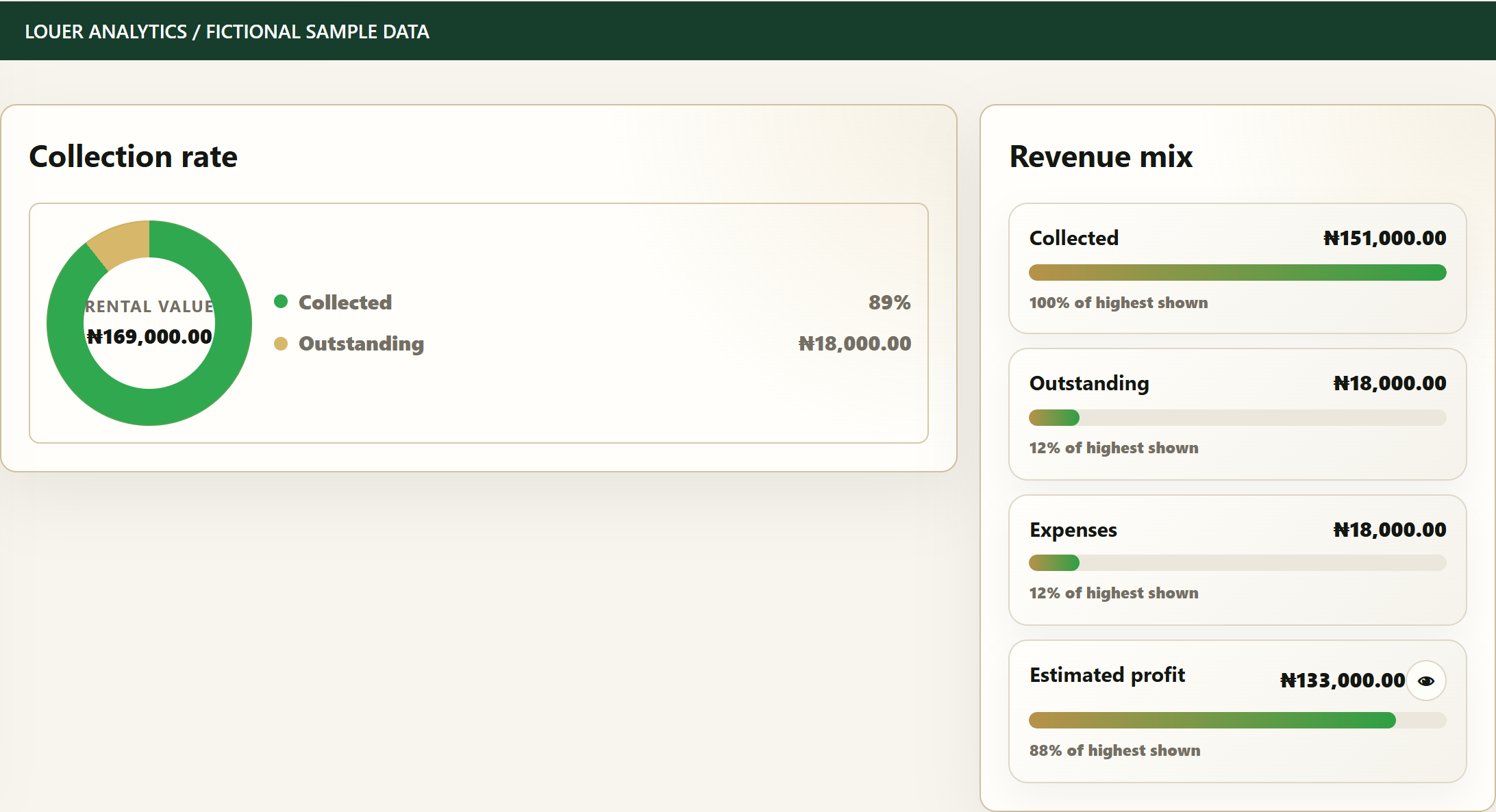
Review collections, outstanding balances, expenses and estimated profit.
Customers browse, add items to a request cart, and send availability requests. Businesses confirm dates, quantity, delivery, documents, and payment steps before anything becomes final.
Explore Louer MarketplaceTrack grouped quantities like 500 chairs, or individual assets like AC-001 and AC-002. Mark items as for rent, not for rent, online, offline, available, damaged, or missing. Low-stock alerts help teams catch shortages before a booking becomes a problem.
Louer checks existing rentals against the requested start and return dates. A chair can be unavailable today but still available for a later event, because the system looks at the actual dates instead of only the current shelf status.
Online customers can submit requests, but the business stays in control. Staff can confirm availability, damaged items, in-store demand, delivery needs, and buffer periods before approving payment.
Create invoices, collect part payments, convert invoices to receipts, add handling fees, refundable caution fees, delivery mileage, discounts, and expenses so the owner can see what the business is really making.
Handoff tools show whether items are reserved, preparing, out for delivery, with the customer, partially returned, damaged, missing, or fully returned. Late returns and incomplete returns can be recorded with notes.
Permissions can protect sensitive actions like exporting data, deleting records, changing item prices, editing expenses, approving orders, and managing settings. Activity logs help owners see important changes.
Start with inventory, create a rental, approve a request, record payment, hand items out, process the return, and review the business.
See customers, inventory, active rentals, payment position, follow-ups, late returns, and recent activity in one place.
Track chairs, halls, decor, machines, vehicles, or assets as grouped quantities or individually counted items.
Select a customer, add multiple items, enter dates, apply fees, discounts, deposits, and record part or full payment.
Louer checks dates, quantities, returns, and buffer periods before a business accepts another booking for the same item.
Move items from reserved to preparing, out for delivery, with customer, partially returned, damaged, missing, or fully returned.
Customers can request items online, while the business confirms availability before sending payment instructions.
Owners decide who can see dashboard, analytics, profit, expenses, exports, deletion, pricing, payments, and approvals.
Analytics help owners review revenue, balances, inventory movement, payment methods, top customers, expenses, and profit.
Inventory → rental → payment → receipt → handoff → return → analytics.
See all features View marketplaceFind rental items, send availability requests, and let each business confirm the next step.

Try Premium-level access for 30 days. Then choose what fits your business.
New rental businesses get Premium-level access for 30 days, then choose a paid plan or continue on the limited Free plan.
One free month of Premium access. Your records stay yours when you move to Free.
Compare all plansAfter your trial, Free keeps a limited preview with up to two active inventory records. Extra inventory stays saved but locked until upgrade. Saved customers and rentals remain viewable; editing and paid features require a paid plan. Nothing is deleted just because the trial ends.
Talk to us about Enterprise needs, branches, onboarding and custom workflows. Scope and pricing are agreed separately.
Contact Louer| Included | Starter | Growth | Premium |
|---|---|---|---|
| Users, including owner | 2 | 5 | 15 |
| Inventory, customers and invoices | Included | Included | Included |
| Reviewed marketplace discovery | Included | Included | Included |
| In-app online request approvals | Upgrade required | Included | Included |
| Expenses, profit and business reports | Upgrade required | Included | Included |
| Extra staff seats | Upgrade required | NGN 3,000/seat/month | NGN 5,000/seat/month |
Starter listings support discovery and direct enquiries. Use Growth or Premium to approve requests inside Louer. Extra seats are purchased in Packages and can be included with your next plan renewal. No automatic card debit is enabled.
Choose a paid plan to continue using its features, or stay on the limited Free plan. Your saved business records are not deleted when the trial ends.
You pay for a full year upfront at the published annual price. This is equivalent to ten monthly payments for twelve months of access.
International businesses are welcome. Subscription checkout currently accepts NGN only. Review available payment methods and our Terms before subscribing.
No. Publishing listings remains subject to business review, item visibility settings and the applicable plan.
Customers can check whether a marketplace or public-page request is pending, approved, rejected, invoiced, or paid without creating a Louer account.
Effective date and last updated: 22 October 2026.
Welcome to Louer. These Terms and Conditions govern your access to and use of the Louer website, mobile-friendly web application, business dashboard, Marketplace, customer request pages, support services, AI-assisted features, and all related services made available by Louer.
Louer is a Software-as-a-Service platform that helps rental businesses manage their daily operations, including inventory, bookings, customers, invoices, receipts, payments, expenses, staff, documents, handoffs, returns, and online rental enquiries. Businesses may also choose to publish selected rental items in Louer's Marketplace so potential customers can discover them and submit rental enquiries.
By creating an account, accessing Louer, or using any part of the platform, you agree to be bound by these Terms. If you do not agree, you must not use Louer.
In these Terms, "Louer", "we", "us", or "our" means Louer Innovations Limited, a company registered in Nigeria with RC Number 9763709, and its successors and assigns. "Platform" means the Louer website, application, Marketplace, customer request pages, APIs, software, support tools, and related services. "Business" means a rental business, company, organization, venue, or operator using Louer. "User" means any person accessing Louer, including business owners, staff, customers, and visitors. "Customer" means a person or organization submitting a rental enquiry or renting from a Business. "Marketplace" means the section of the Louer Platform where approved rental businesses may publish selected rental items and receive rental enquiries. The Marketplace is a discovery service and does not make Louer a party to rental transactions between Businesses and Customers.
You may use Louer only if you are at least 18 years old, have legal capacity to enter into binding agreements, and use the platform in compliance with applicable law. If you create or use an account on behalf of a Business, you confirm that you have authority to bind that Business to these Terms.
You agree that all information provided to Louer will be accurate, current, and complete. Louer may refuse, suspend, or terminate access where information appears false, misleading, incomplete, or unlawful.
Louer provides software tools that may allow Businesses to manage inventory, assets, item quantities, asset tags, customers, rental orders, invoices, receipts, payments, deposits, discounts, expenses, vendors, staff permissions, analytics, calendar events, documents, public rental requests, handoffs, deliveries, returns, damages, missing items, late returns, and support tickets.
Features depend on the selected plan and any necessary provider setup. Louer may maintain or improve features and may restrict unsafe or unlawful use. For a material reduction in a paid service, we will give reasonable advance notice where practicable and explain available cancellation, credit, or refund options. Urgent security or legal changes may take effect immediately. Mandatory consumer remedies remain available.
Each Business is solely responsible for its rental operations. This includes item ownership, item condition, pricing, availability, customer communication, fulfilment, delivery, setup, pickup, collection, contracts, cancellation terms, refund terms, caution deposits, taxes, staff actions, customer documents, compliance with consumer protection rules, and compliance with all laws applicable to that Business.
Louer provides records and tools. Louer does not guarantee the accuracy of a Business's listings, the condition of its items, the availability of any rental item, or the conduct of any Business or Customer.
The Louer Marketplace is intended to help Customers discover rental Businesses. Public requests are enquiries only, whether a Customer requests one item or multiple items in a single enquiry. A request is not a confirmed booking until the relevant Business approves availability and communicates payment, pickup, delivery, setup, or document requirements.
Louer does not own, rent, manufacture, inspect, store, deliver, install, collect, or insure items listed by Businesses. Louer may remove, hide, restrict, or review public listings that appear inaccurate, unsafe, misleading, unlawful, prohibited, or harmful to users or the platform.
Customers should carry out reasonable due diligence before paying any Business, especially for marketplace requests, manual bank transfers, account details sent after approval, delivery arrangements, or high-value rentals. Customers should review the Business name, contact details, location, rental terms, uploaded documents, payment reference, and any available verification badge before making payment.
Where one enquiry includes items from different Businesses, each Business remains separately responsible for its own pricing, availability, documents, payment instructions, fulfilment, delivery, pickup, returns, deposits, and refunds. Louer may help organize the enquiry, but it does not merge separate Businesses into one rental contract.
Unless Louer expressly states otherwise in writing, Louer does not receive rental payments on behalf of Businesses, operate wallets, hold customer funds, provide escrow, manage balances, or distribute rental funds to Businesses.
Where online rental payments are used, the Business should receive payments directly into its own approved payment account. Louer subscription payments are separate from rental payments between Businesses and Customers. Businesses remain responsible for confirming manual transfers, POS payments, cash payments, refunds, chargebacks, deposits, and deductions.
Users are responsible for maintaining the confidentiality of account credentials and for all activity under their accounts. Business owners are responsible for creating staff accounts, assigning permissions, reviewing staff activity, and removing access when staff leave or roles change.
You must notify Louer promptly if you suspect unauthorized access, credential compromise, fraud, or misuse. Louer may require password resets, restrict access, or take protective action where account security is at risk.
Louer may offer trial, Starter, Growth, Premium, Enterprise, or other subscription plans. Features, usage limits, storage, staff seats, marketplace visibility, AI access, support level, notification allowances, and pricing may vary by plan.
New Businesses may receive a first-month free access period or another promotional trial communicated by Louer. Unless Louer agrees otherwise, trial access is temporary. If payment is not made before or after the trial ends, the workspace may move to the Free plan and features, records, public listings, staff access, exports, support level, email sending, AI access, or other functionality outside the Free plan may be locked, greyed out, hidden, limited, or unavailable until payment is completed or the account is otherwise approved by Louer.
Subscription fees are payable in advance unless otherwise agreed. Failure to pay may result in reminders, reduced access, suspension, deletion of public listings, or termination. Taxes, payment provider fees, bank charges, and currency conversion charges may apply.
For the MVP billing period, plan upgrades take effect immediately after payment is confirmed. Downgrades take effect at the next billing period so that access is not removed suddenly during an active paid period. Any unused value from a previous plan may be handled manually as account credit, added access time, or another billing adjustment approved by Louer. Louer may update this process as automated billing, proration, and subscription management features mature.
You must not use Louer to violate law, deceive users, list prohibited items, infringe rights, distribute malware, attack systems, bypass permissions, scrape data without authorization, impersonate another person, create fake businesses, abuse support, or facilitate fraud.
Louer may investigate suspected misuse and may suspend, restrict, delete, or terminate accounts or listings that create legal, security, financial, reputational, or operational risk.
Businesses retain ownership of the content they upload to Louer, including inventory, images, logos, contracts, customer records, invoices, receipts, notes, documents, prices, and business settings. By uploading content, you grant Louer a limited license to host, process, store, display, transmit, and back up that content solely as needed to operate, secure, support, and improve the platform.
You represent that you have the right to upload and use the content you provide. You must not upload content that is illegal, misleading, confidential without authority, infringing, harmful, or unnecessary for your rental operations.
Businesses may use Louer to request or store customer documents such as IDs, payment proofs, signed contracts, delivery documents, or other supporting records. Businesses are responsible for deciding what documents are necessary, informing Customers why documents are requested, protecting those documents, and complying with applicable privacy and data protection rules.
Louer owns or licenses all rights in the platform, software, source code, user interface, design, workflows, documentation, brand, trademarks, logos, AI systems, and related intellectual property. These Terms do not transfer any Louer intellectual property rights to you.
You may not copy, modify, reverse engineer, resell, sublicense, or create competing services from Louer except as expressly permitted by law or written agreement.
Louer currently uses OpenAI's API, including the GPT-4.1 mini model, as a limited support assistant for authorized Louer personnel. It may help organize a support request, summarize diagnostics, suggest troubleshooting steps, or draft a reply. It does not independently approve or reject a Business, determine a user's legal rights, set prices, move money, suspend an account, or make a final decision about a complaint. A Louer representative remains responsible for reviewing support outcomes and making decisions.
Louer is committed to protecting customer and Business data when using AI. We limit the information sent to what is reasonably needed for the support task, configure the API not to store response application state where that control is available, and do not opt in to using support-ticket data to train OpenAI models. We do not intentionally send passwords, complete payment-card details, or identity documents to the AI service. Users should not place unnecessary sensitive information in a support message and may ask for a human-only review by emailing [email protected]. More detail appears in the Privacy Policy.
AI analysis supports human staff and does not by itself approve or reject rentals, determine eligibility, suspend accounts, make payment decisions, or produce decisions with legal or similarly significant effects. Louer may replace or add an AI provider after updating the Privacy Policy and completing any required risk, contractual, and transfer review.
Users remain responsible for reviewing AI outputs before relying on them. AI outputs do not constitute legal, accounting, tax, financial, insurance, safety, or professional advice.
Louer aims to provide a reliable service, but uninterrupted or error-free availability is not guaranteed. Access may be affected by maintenance, updates, internet failure, hosting issues, payment provider issues, email provider issues, SMS provider issues, AI provider issues, cyber incidents, force majeure events, or other causes outside Louer's control.
Louer may provide export or backup tools for certain records. Businesses should keep their own copies of important operational, accounting, legal, and customer records where required by law or internal policy. Louer is not responsible for losses caused by a Business failing to export or preserve records it is required to keep.
Louer may rely on or integrate with third-party services, including Supabase, Vercel, Resend, Paystack, PostHog, OpenAI, Cloudflare, email providers, SMS providers, storage providers, analytics tools, and map providers. Third-party services are governed by their own terms and policies. Louer is not responsible for third-party outages, fees, restrictions, compliance reviews, or service decisions.
Louer is provided on an "as is" and "as available" basis to the fullest extent permitted by law. Louer does not warrant that the platform will be uninterrupted, error-free, secure against every possible threat, or suitable for every rental business model. Businesses are responsible for confirming that Louer meets their operational, legal, tax, insurance, and accounting needs.
To the fullest extent permitted by law, Louer will not be liable for indirect, incidental, special, consequential, exemplary, or punitive damages; lost profits; lost revenue; business interruption; lost data; customer disputes; damaged rental items; missing rental items; failed deliveries; late returns; fraud by third parties; or payment disputes between Businesses and Customers.
To the fullest extent permitted by law, Louer's total liability for claims relating to the platform will not exceed the subscription fees paid by the affected Business to Louer during the twelve months before the event giving rise to the claim.
These exclusions and the liability cap do not apply to fraud, fraudulent misrepresentation, gross negligence, deliberate misconduct, death or personal injury for which liability cannot lawfully be limited, or any liability, compensation, refund, data-protection remedy, or consumer right that applicable law does not allow us to exclude or limit. They do not excuse Louer's own statutory duties or impose responsibility on a Business for Louer's fault.
To the extent lawful, a Business is responsible for reasonable, evidenced third-party losses caused by that Business's unlawful content, infringement, or culpable misuse of Louer. This does not cover losses caused by Louer's own breach, negligence, or misconduct, and does not override mandatory consumer protections. Louer will give prompt notice of a claim, allow reasonable participation in its defence, and take reasonable steps to mitigate loss. No settlement may impose an admission or non-monetary obligation on the Business without its agreement.
Louer may suspend, limit, or terminate access if a user violates these Terms, fails to pay, creates legal or security risk, misuses public listings, abuses support, or harms Louer, Customers, Businesses, payment providers, or third parties. Termination does not remove outstanding payment obligations or legal responsibilities.
These Terms are governed by the laws of the Federal Republic of Nigeria, including the Nigeria Data Protection Act 2023, applicable directives and guidance of the Nigeria Data Protection Commission, and the Federal Competition and Consumer Protection Act 2018, without excluding any mandatory rights that apply in a user's country of residence.
Before starting formal proceedings, a complainant should email [email protected] or, for privacy matters, [email protected]. Louer will acknowledge an emailed complaint within two business days and aims to provide a substantive response within ten business days. Privacy-rights requests will be decided within 30 days after Louer receives the request and any reasonably required identity information. If more time is permitted and reasonably needed because a matter is complex, Louer will explain the delay and the expected response date.
Our resolution-first commitment. Louer welcomes early, practical settlement. We aim to resolve ordinary complaints within 30 days where reasonably possible and will treat credible privacy, security, safety, or payment concerns with appropriate urgency. The parties should exchange relevant information and try in good faith to resolve the matter by direct discussion, but no person must disclose information that is irrelevant, privileged, unsafe to disclose, or prohibited by law.
If a contractual dispute remains unresolved 30 days after a written complaint, either party may propose good-faith mediation through a mutually agreed accredited mediator or multi-door courthouse in Nigeria. Mediation is voluntary unless the parties agree otherwise in writing and does not prevent a user from making a regulatory complaint or seeking urgent relief. If the dispute is not settled, it may be brought before the Federal High Court where that court has subject-matter jurisdiction or otherwise before a State High Court or other court of competent jurisdiction in Nigeria. Mandatory consumer, privacy, and local-law rights are not waived by this clause.
For an international user, the parties may agree to negotiate or mediate remotely. Unless applicable law or a settlement says otherwise, each party bears its own professional costs and shares the mediator's fee equally. Louer will participate constructively and may agree to another suitable ADR body or procedure where that is faster, fairer, or required by mandatory local law. This process will not be used to delay a data-subject request, prevent a complaint to the Nigeria Data Protection Commission, the Federal Competition and Consumer Protection Commission, or another competent regulator, shorten a statutory limitation period, or obstruct urgent court relief.
Louer will identify the updated date and give reasonable advance notice of material contractual changes where practicable, explaining when they take effect and how to raise a concern or cancel future service. Urgent legal or security changes may take effect sooner with an explanation. Changes do not retrospectively remove accrued rights. Where affirmative agreement is legally required, Louer will request it; continued use is not a substitute for required privacy consent.
Questions about these Terms, legal notices, or unresolved complaints may be sent to [email protected]. General complaints may be sent to [email protected], and privacy requests to [email protected].
Effective date and last updated: 22 October 2026.
Louer respects privacy and is committed to protecting personal information. This Privacy Policy explains what information we collect, how we use it, who we share it with, how we protect it, how long we keep it, and what rights may be available to you.
This policy applies to the Louer website, mobile-friendly web application, Marketplace, customer request pages, business dashboard, support services, AI-assisted support tools, and related services.
Business location: Lagos, Nigeria.
Louer Innovations Limited, a company registered in Nigeria with RC Number 9763709, operates the Platform and is the data controller when it decides why and how account, subscription, billing, direct Marketplace, website, analytics, security, support, and legal-compliance information is processed. The controller can be contacted at [email protected]; legal notices may be sent to [email protected].
Each rental Business is ordinarily the data controller for customer, staff, vendor, rental, document, and operational personal data that it places in its workspace or asks Louer to collect for it. Louer processes that data as the Business's data processor or service provider, under the Business's instructions, except where Louer must process the data for its own security, fraud prevention, billing, legal-compliance, or platform-administration purposes. The individual whose personal data is processed is the data subject. Suppliers such as hosting, database, email, payment, analytics, and AI providers may act as Louer's subprocessors.
If a rental Customer's information was entered by a Business, the Customer should normally contact that Business first. Louer will assist the Business with verified requests and will respond directly where Louer is the controller or applicable law requires it.
For Business-controlled workspace data, the processing covers hosting, organizing, retrieving, transmitting, securing, exporting, and deleting rental-related records during the service and lawful closure period. The data subjects are the Business's customers, staff, vendors, and contacts. Louer must follow documented lawful instructions, restrict access to authorized persons under confidentiality duties, and assist with rights requests, security incidents, and required assessments. Written processor terms and applicable transfer safeguards are required; this notice does not replace those agreements or authorize unrelated advertising or AI training.
When a user creates or uses an account, we may collect name, email address, phone number, password credentials in protected form, business name, business address, country, currency, role, subscription plan, staff permissions, login activity, and account preferences.
Businesses may provide business registration details, public contact information, branch locations, business logo, business settings, payment settings, notification settings, marketplace settings, social media links, delivery preferences, staff records, and internal operational notes.
Businesses may store customer names, email addresses, phone numbers, addresses, rental histories, invoices, receipts, balances, uploaded documents, payment records, signed agreements, delivery instructions, return notes, damage records, and communication notes. This information is used by the Business to manage rental operations.
Louer may process inventory records, item images, item quantities, asset tags, item condition, availability, bookings, rental dates, quotes, invoices, receipts, part payments, deposits, discounts, fees, expenses, vendors, delivery notes, handoff status, returned quantities, missing items, damages, late returns, calendar notes, follow-ups, and audit logs.
If a Business chooses to publish selected items publicly, Louer may display business name, location, item names, images, descriptions, public contact details, social links, pricing where enabled, and other information the Business chooses to make public. Businesses may update or remove public listings through their settings where supported.
Users may upload contracts, terms, IDs, payment proofs, receipts, business documents, customer documents, item images, return evidence, and other files. Businesses should only request and upload documents that are necessary for their rental process and should handle sensitive documents carefully.
When users contact support or submit a support request, Louer may collect contact details, support messages, screenshots, browser details, page context, error messages, diagnostics, account identifiers, and recent actions needed to investigate and resolve the issue.
We may automatically collect IP address, browser type, device type, operating system, approximate location inferred from technical data, pages visited, session activity, clicks, performance information, crash reports, referral URL, and security events. This helps us operate, secure, troubleshoot, and improve Louer.
Louer may use cookies, local storage, and similar technologies to keep users signed in, remember preferences, support security, improve performance, understand feature usage, and maintain sessions. Users may disable cookies in their browser, but some features may not work properly.
Authentication, abuse prevention, and saved preferences are separate from optional product analytics. You can accept or decline optional analytics and change that choice through Analytics preferences in the website footer or your profile. Refusing optional analytics does not prevent use of the service. A choice saved in one browser may need to be set separately on another device. We do not run advertising pixels or build customer retargeting audiences.
Louer may use analytics tools to understand how users move through the product, where users drop off, and which features need improvement. Analytics data may include page views, feature interactions, device details, and workspace-level usage patterns. We use analytics to improve the product, not to sell personal information. Non-essential product analytics are currently disabled and will not be activated for a user where consent is required unless Louer first presents an appropriate choice and the user opts in.
Louer's implemented AI support feature uses OpenAI's API and the GPT-4.1 mini model as a limited tool for authorized support personnel. When a support administrator requests analysis, Louer may send the support message or ticket, selected ticket fields, workspace or account identifiers, technical diagnostics, page context, recent actions, and instructions needed to classify the issue or draft a suggested response. We minimize this information where reasonably possible and instruct personnel not to include passwords, complete payment-card details, or identity documents unless a lawful, necessary support process specifically requires separate handling.
The resulting analysis may be stored with the support ticket so that a human can review it and provide consistent support. OpenAI acts as a service provider for this processing. Louer configures the API request not to create response application state where that control is available. OpenAI may retain limited logs for abuse monitoring or legal compliance under its business data controls, but states that API inputs and outputs are not used to train its models by default unless the customer opts in; Louer does not opt in for support-ticket data. AI does not make final decisions about account access, Marketplace verification, payments, disputes, or legal rights. A person may request human-only handling by emailing [email protected].
AI output is reviewed by a human and is not used as the sole basis for decisions that produce legal or similarly significant effects. Do not include passwords, complete card details, government identification documents, health information, or other unnecessary sensitive information in support prompts. Louer will update this section before materially changing the AI provider or purpose.
We use information to provide the platform, authenticate users, create accounts, manage subscriptions, display dashboards, process rental workflows, send notifications, support public enquiries, improve reliability, detect misuse, secure accounts, provide support, troubleshoot errors, develop features, run analytics, maintain records, and comply with legal obligations.
Business financial records are confidential workspace data, not public earnings reports. Louer's routine founder overview uses operational counts rather than rental revenue totals. Authorized support may access necessary records for a specific support, security, billing, or legal purpose, subject to restricted access and accountability. Owning Louer does not give its personnel permission to browse, sell, or use a Business's financial or customer records for unrelated purposes. Rental values entered in the app are not independently verified earnings or profit.
Depending on the activity and applicable law, Louer relies on performance of a contract or steps requested before a contract; compliance with legal obligations; legitimate interests such as securing, supporting, preventing fraud against, and improving the Platform where those interests are not overridden by individual rights; consent where consent is required; and, in an emergency, protection of vital interests. Where Louer relies on consent, it may be withdrawn at any time without affecting processing that was lawful before withdrawal.
Required account fields enable authentication and service delivery; without them we may be unable to provide the requested account. Optional profile, publicity, and wallpaper fields are not a condition of optional analytics consent. Information may come directly from you, from the Business that employs or serves you, from an authorized contact, or from the payment and security providers described here. Sensitive data must not be collected merely because an upload field exists.
Louer does not store complete card details. Payments may be processed by approved third-party payment providers. Payment providers may collect and process payment information under their own terms and privacy policies. Louer may store transaction references, billing status, payment method labels, amounts, dates, and receipts needed for records and support.
We do not sell personal information or share it for cross-context behavioural advertising. Current integrations include Supabase for authentication, database, files, and server functions; Vercel for hosting; Cloudflare for DNS, delivery security, and Turnstile abuse protection; Resend for email; Paystack for subscription checkout; and OpenAI for the limited support processing described above. PostHog is not currently activated. Supabase's browser library and Lucide icons are served from Louer's own website as pinned, integrity-checked files, rather than requested from jsDelivr or UNPKG during normal page loading. Older cached versions may still reference those library services until refreshed. A provider receives the categories needed for its function, not unrestricted access to every workspace.
Suppliers are not all processors for every purpose: payment providers and Cloudflare may also act as independent controllers for their own lawful security, payment, or service purposes. The applicable role and contractual safeguards depend on the processing. You may request current recipient and transfer information from [email protected].
We may also disclose information where required by law, court order, regulator request, fraud investigation, or a business transfer, or where reasonably necessary to protect legal rights, users, or Platform safety. We do not permit a provider to use Business workspace data for its own direct marketing.
Louer is designed so each Business accesses its own workspace data. Users in one Business should not access another Business's private records. App-owner support access is kept separate and used for troubleshooting, support oversight, security, abuse prevention, diagnostics, and account administration.
Louer is operated from Nigeria and uses providers whose systems or personnel may process information in Nigeria, the United States, the United Kingdom, the European Economic Area, and other countries in which those providers maintain approved facilities. Those countries may have different data-protection laws from the country where the information was collected.
For a restricted international transfer, Louer will use a lawful transfer mechanism appropriate to the originating jurisdiction, such as an adequacy decision, contractual clauses, the UK International Data Transfer Agreement or Addendum, another regulator-approved instrument, or a permitted statutory derogation, together with a transfer-risk assessment and supplementary security measures where required. A data subject may request information about the applicable safeguard at [email protected].
We use reasonable technical and organizational measures to protect information, including HTTPS, authentication, role-based permissions, database security policies, access controls, audit logs, monitoring, and secure third-party infrastructure. No electronic system is completely secure, so users must also protect passwords, devices, staff access, and exported files.
The Nigeria Data Protection Act requires retention to be limited to what is necessary; it does not prescribe one universal period for every record. The schedule below sets Louer's retention rules and review triggers. Provider-specific log and backup expiry and scheduled deletion coverage are still being verified; these periods must not be understood as a claim that every system already has an automated purge. Louer must handle verified deletion requests and document any lawful reason for continued retention.
Information no longer necessary must be deleted or irreversibly anonymized. Preservation exceptions must have a documented purpose, restricted access, and a review date; an unspecified possibility of future use is not sufficient. Businesses remain responsible for lawful workspace retention instructions. You may ask [email protected] for deletion, the applicable period, or an explanation of a preservation exception.
On verified account closure, Louer will remove or hide public listings and arrange the retention and deletion process described above. Account closure, deleting an individual record, removing a public listing, and hiding wallpaper on one device are different actions. Information lawfully preserved must be restricted from ordinary use and reviewed for deletion when the reason expires. Provider and backup copies require separate checks; deletion requests will be given a progress update if these checks delay completion.
Subject to the conditions and exceptions in applicable law, every data subject may ask Louer to confirm whether personal data is processed and obtain access to it; correct inaccurate or incomplete data; erase data; restrict processing; object to processing based on legitimate interests or to direct marketing; receive eligible data in a structured, commonly used, machine-readable format and request transfer to another controller; withdraw consent; object to or obtain human review of qualifying solely automated decisions; and complain to a competent supervisory authority. Louer will not discriminate against a person for exercising a privacy right.
Send a request to [email protected] with enough information to identify the relevant account, Business, or rental request. Louer will acknowledge it within two business days and respond without undue delay and ordinarily within 30 days after receiving the request and any reasonably required identity verification. If applicable law permits an extension for a complex request, Louer will explain the reason and expected date before the initial period expires. Requests are normally free, but Louer may refuse or charge a lawful reasonable fee for a manifestly unfounded or excessive request.
A person dissatisfied with Louer's response may escalate to [email protected] and may lodge a complaint with the Nigeria Data Protection Commission. A person in another jurisdiction may also complain to the authority competent where that person lives or works, including the UK Information Commissioner's Office, Ghana Data Protection Commission, Kenya Office of the Data Protection Commissioner, South Africa Information Regulator, Office of the Privacy Commissioner of Canada or relevant provincial authority, UAE Data Office or applicable free-zone authority, or a competent United States state regulator such as the California Privacy Protection Agency. Regulatory and court rights do not depend on completing Louer's internal process.
Louer prefers to solve privacy concerns directly and quickly. We will ask only for information reasonably necessary to verify identity and understand the request, explain any lawful extension, and provide progress updates where a matter cannot be completed promptly. A person may contact [email protected] at any stage and is never required to waive a regulatory, ADR, or court right in order to receive assistance.
Louer accounts and self-directed Marketplace requests are for people aged 18 or older. Louer does not knowingly allow a child to open an account or submit a request independently. A Business must not enter a child's personal data unless it has a lawful, necessary rental-related purpose and all required authority. Where processing relies on consent and the individual is a child or lacks legal capacity, the Business and Louer must obtain and, where appropriate, verify the consent of a parent or legal guardian, subject to the Nigeria Data Protection Act 2023 and any stricter applicable law. If Louer learns that a child's information was collected without proper authority, it will restrict and delete it unless law requires preservation.
Louer maintains an incident-response process and records personal data breaches. A processor must notify the relevant controller without undue delay after becoming aware of a breach. Where Louer is the controller, Louer will notify the Nigeria Data Protection Commission within 72 hours after becoming aware of a breach that is likely to result in a risk to individuals' rights and freedoms. If a breach is likely to result in a high risk, Louer will communicate it to affected data subjects immediately, in clear language, with practical mitigation steps, unless a lawful exception applies. Louer will also meet any shorter, additional, or jurisdiction-specific notice requirement that applies to the incident.
Louer is operated from Nigeria and welcomes international rental Businesses where the service can lawfully be provided. Country and currency fields are software capabilities, not a representation of local licensing or completed regulatory approval. Subscription checkout is currently in NGN; availability of other features and payment methods must be confirmed before relying on them. Louer may limit registration, payment, or publication by location. Each Business must comply with the rules that apply to its rental operations, and Louer remains responsible for its own applicable obligations.
International users are welcome in the markets Louer supports. We aim to provide the same respectful support, transparent complaint handling, and good-faith approach to ADR regardless of location, while preserving any stronger mandatory privacy or consumer right available under local law. Where a local requirement differs from this policy, Louer will apply the mandatory requirement to the relevant processing and update its practices as the service expands.
The Nigeria Data Protection Act 2023 and applicable NDPC directives, including the General Application and Implementation Directive 2025, are central to our processing. Additional laws may apply according to establishment, targeting, monitoring, data location, statutory thresholds, or other legal connections: for example EU GDPR; UK GDPR and the Data Protection Act 2018 as amended; Canada's PIPEDA and applicable provincial laws; Ghana's Data Protection Act 2012; Kenya's Data Protection Act 2019; South Africa's POPIA; applicable UAE federal or free-zone law; and relevant US state privacy laws. This is not a declaration that every law applies or that every country has been cleared for active expansion. Before targeting a new market, Louer must assess applicable registration, representative, transfer, consumer, and other local requirements. Mandatory individual rights are not reduced by a person's location or these Terms.
Louer may link to third-party websites, social media pages, payment pages, customer business pages, or external services. We are not responsible for the privacy practices, security, or content of third-party websites.
We will update the date and bring material changes to users' attention through an appropriate email, in-app notice, or prominent website notice. This policy explains processing; reading it or continuing to use Louer does not constitute consent to optional processing. If a new purpose requires consent, Louer must obtain that consent before starting it.
Privacy questions, data-subject requests, and breach notices may be sent to [email protected]. General support questions may be sent to [email protected] and legal escalations to [email protected].
Effective date and last updated: 20 October 2026.
This Refund Policy explains how Louer handles subscription billing refunds. It does not control refunds between rental Businesses and their Customers, which are handled by the relevant Business according to its own rental terms and applicable law.
Nothing here removes a mandatory cancellation, refund, compensation, or service-quality right. A verified duplicate charge or a refund legally owed is not discretionary. Louer will offer the remedy required by applicable law, including for its own material failure to provide a paid service; a credit is not a substitute for a cash refund where the law requires a refund.
Louer subscription fees are charged based on the plan, billing cycle, agreed limits, and any applicable add-ons. Paid plans may include monthly, annual, enterprise, or custom billing arrangements. Annual plans may include discounted months compared with monthly billing.
Self-service extra seats are available on Growth and Premium. Added seats end with the paid plan; the checkout shows the exact amount and end date before payment. Mid-period seat charges use the published monthly price divided by 30 days, or annual price divided by 365 days, multiplied by the remaining time, rounded up to the nearest kobo, with a NGN 50 minimum per seat purchase. New seats added during an early renewal include this remaining-period charge as well as the next period's seat price. Plan and seats may then be renewed in one payment. No automatic recurring debit is currently enabled. Existing paid seats with a different expiry require billing reconciliation before a new purchase.
Where Louer offers a free trial, first-month free access, launch pilot, or early-access period, the trial may be limited, extended, converted, or ended according to the terms communicated to the Business. A trial does not guarantee permanent free access. If payment is not completed after the trial, the workspace may move to the Free plan and paid features may be limited, locked, greyed out, hidden, or unavailable.
Monthly subscription fees are generally non-refundable once the billing period has started, except where a refund is required by law, caused by a verified billing error, or approved by Louer after review of the issue.
Annual subscriptions may include discounted pricing. Refunds, credits, or cancellations for annual subscriptions are reviewed case by case and may consider payment date, account usage, onboarding status, billing errors, service issues, and payment provider rules.
If a Business is charged twice, pays the wrong amount, or experiences a verified payment error, Louer will review the payment record and may issue a refund, account credit, correction, or billing adjustment where appropriate.
If a successful checkout cannot be applied because the account changed or its quoted period expired before confirmation, Louer records the payment for billing review rather than silently removing it or granting the wrong access. Contact [email protected] with the payment reference. Louer will reconcile the entitlement or refund an unapplied payment where due; any legally required refund remains mandatory. A queued payment-provider refund is not complete until the provider confirms processing. A refund and any corresponding access correction are tracked separately; a refund does not silently delete Business records.
For the MVP billing period, upgrades take effect immediately after payment is confirmed. If a Business upgrades during an active paid period, any unused value from the previous plan may be handled manually as account credit, added access time, or another billing adjustment approved by Louer.
A Business may request to downgrade or cancel its subscription. Unless Louer confirms otherwise, downgrades and cancellations take effect at the next billing period. Downgrades may reduce access to staff seats, storage, marketplace visibility, analytics, premium support, or other plan-specific features after the current paid period ends.
If an account is suspended or terminated because of non-payment, fraud, abuse, legal risk, security risk, or violation of Louer's Terms, fees already paid may not be refundable to the fullest extent permitted by law.
Refunds between a Business and its Customer are controlled by that Business, not by Louer. Louer does not hold rental customer funds, provide escrow, or settle rental funds to Businesses. Customers should contact the relevant Business about rental refunds, caution deposits, damage deductions, or cancellations.
Refundable deposits, damage deductions, missing item charges, incomplete return charges, cleaning charges, and late-return fees are managed by the Business according to its own rental agreement and applicable consumer protection rules.
Billing or refund questions may be sent to [email protected] or [email protected]. Include the account email, Business name, payment reference, payment amount, payment date, and reason for the request. Louer will acknowledge an emailed request within two business days and aims to decide a complete request within ten business days. If additional information or payment-provider review is required, Louer will explain what is needed and provide an updated timeframe. An unresolved consumer complaint may be escalated under section 22 of the Terms, including to the Federal Competition and Consumer Protection Commission or another competent regulator without giving up any court right.
Effective date and last updated: 18 October 2026.
This Acceptable Use Policy explains the rules and standards that apply when using Louer. Louer is a Software-as-a-Service platform for rental businesses. The Louer Marketplace helps Customers discover approved Businesses and submit rental enquiries, but Louer does not hold rental funds, operate wallets, provide escrow, or settle payments to vendors.
By using Louer, you agree to comply with this policy, Louer's Terms and Conditions, Privacy Policy, and any other policies published by Louer. Failure to comply may result in warnings, restrictions, suspension, removal of Marketplace visibility, or permanent termination of access.
Enforcement must be proportionate to the issue. Where lawful and safe, Louer will explain the reason, available review route, and any practical opportunity to correct a breach. Urgent protective action may be taken first; it does not remove statutory remedies, privacy rights, or access to a regulator or competent court.
The purpose of this policy is to protect Louer, Businesses, Customers, payment providers, and the public from unsafe, unlawful, misleading, abusive, or harmful use of the Platform. This policy should be read together with Louer's Terms and Conditions, Privacy Policy, Returns, Refunds, and Disputes Policy, and Delivery and Fulfilment Policy.
This policy applies to every person or organization that accesses or uses Louer, including Businesses, business owners, staff members, Customers, public visitors, support users, marketplace viewers, and anyone submitting or managing rental enquiries. Each Business is responsible for ensuring that its owners, managers, staff, contractors, and authorized users comply with this policy.
Users must be at least 18 years old and legally able to use the Platform. A person creating an account for a Business must have authority to represent that Business. Businesses must provide accurate registration information, valid contact information, current account details, and use the Platform only for legitimate rental-related activities.
Louer may refuse, restrict, suspend, or terminate accounts where information is false, incomplete, misleading, unverifiable, unlawful, or creates risk to the Platform.
Before a Business is allowed to appear publicly on the Marketplace, Louer may require verification information such as business name, owner or authorized representative details, email address, phone number, business address, business category, public contact details, social media pages, website, item listings, and supporting documents.
Registered Businesses may be asked to provide CAC or other registration documents. Informal or individual rental operators may be asked to provide valid identification, proof of address, business evidence, or other information Louer reasonably requires. Louer may approve, decline, limit, or remove public visibility at its discretion.
Businesses are responsible for ensuring that all public listings are accurate, lawful, safe, current, and not misleading. Listings should accurately describe item name, item category, condition, quantity where shown, pricing where shown, availability limitations, location, delivery options, pickup options, setup options, deposit requirements, document requirements, and any customer restrictions.
Businesses must not publish items they do not own, control, have permission to rent, or reasonably expect to make available. If an item becomes unavailable, damaged, missing, withdrawn from rent, or no longer suitable for public display, the Business should update or hide the listing promptly.
Louer must not be used by or for businesses that are illegal, fraudulent, deceptive, exploitative, unsafe, or prohibited by applicable law or payment-provider requirements. Louer may refuse or remove businesses involved in fraud, scams, deceptive practices, illegal businesses, impersonation, money laundering, terrorism financing, identity theft, human trafficking, unauthorized financial services, fake listings, illegal goods, abusive services, rights infringement, or repeated customer harm.
Users must not list, advertise, request, or facilitate illegal drugs, controlled substances sold unlawfully, firearms, ammunition, weapons, weapon accessories, explosives, explosive materials, counterfeit goods, stolen property, forged products, adult services, unlawful gambling services or equipment, fake documents, endangered wildlife or animal products, hate material, human remains, recalled products, hazardous chemicals, toxic substances, biological hazards, radioactive materials, unlawful surveillance equipment, hacking tools intended for unlawful activity, medical devices requiring special authorization, or any item illegal under Nigerian law or the law of the relevant location.
Louer may also restrict regulated, dangerous, high-risk, age-restricted, offensive, or unusually sensitive items where additional verification, insurance, licensing, or safety review would be required.
Users must not use Louer for fraud, impersonation, fake businesses, fake customer accounts, fake bookings, fake reviews, search-ranking manipulation, spam, phishing, malware, scraping, copyright infringement, harassment, threats, payment fraud, chargeback abuse, misleading photos, unlawful surveillance, unauthorized resale, data harvesting, or misuse of customer personal data.
Users must not bypass permissions, share accounts improperly, hide staff activity, manipulate records, falsify invoices or receipts, misrepresent payment status, interfere with audits, or use Louer to deceive Customers, Businesses, payment providers, regulators, or Louer support.
Customers using the Marketplace or public business pages should review listings carefully, submit accurate contact and event details, confirm rental terms directly with the Business, understand payment requirements before paying, and carry out reasonable due diligence before sending money to any Business.
A public rental request is an enquiry only. Customers should not treat a request as confirmed until the relevant Business approves availability and communicates payment, pickup, delivery, setup, document, or contract requirements.
Customers must not submit fake bookings, harass Businesses, intentionally damage rental property, misuse personal information, attempt fraud, refuse agreed returns without lawful basis, or use Louer to create unsafe or abusive interactions.
Users must not upload or publish content that infringes trademarks, copyrights, designs, publicity rights, privacy rights, or other intellectual property rights. Businesses must have the right to use logos, item images, product descriptions, contracts, documents, and other materials uploaded to Louer.
Businesses should collect and store only customer information and documents that are reasonably necessary for their rental operations. Users must not publish private customer documents, misuse identity documents, expose payment proofs unnecessarily, sell customer data, or use customer records for unrelated purposes.
Louer may review accounts, listings, support reports, public requests, payment records, usage patterns, documents, and technical signals to detect fraud, impersonation, unsafe listings, fake activity, or platform abuse. Louer may request additional verification before enabling or restoring public visibility.
Louer reserves the right to suspend, restrict, remove, or terminate any account, listing, Marketplace visibility, content, feature access, or activity that, in Louer's reasonable opinion, threatens user safety, creates legal risk, undermines trust in the Platform, damages Louer's reputation, interferes with Platform security, or threatens the safety, integrity, reputation, security, or lawful operation of the Platform or its users.
Louer may take protective action before, during, or after an investigation where reasonably necessary to protect users, payment providers, service providers, or the Platform.
Suspected fraud, unsafe listings, impersonation, intellectual property infringement, customer harm, vendor abuse, phishing, privacy misuse, or other violations may be reported to [email protected]. Reports should include the Business name, listing link, screenshots, dates, messages, payment references where relevant, and a clear description of the concern.
Louer may review platform records, request information from Businesses or Customers, contact affected parties, preserve relevant records, restrict public visibility, or temporarily suspend accounts while investigating suspected misuse. Louer may decline to share confidential investigation details where doing so could expose users, security controls, or legal processes.
Depending on the issue, Louer may warn a user, remove content, hide a listing, disable Marketplace visibility, restrict features, suspend an account, terminate access, preserve records, notify affected users, refuse future accounts, or report unlawful conduct to appropriate authorities or service providers.
A Business or User may contact [email protected] to request review of an enforcement action. The request should explain why the action should be reconsidered and include supporting documents or evidence. Louer will acknowledge an emailed appeal within two business days and aims to decide a complete appeal within ten business days, subject to any investigation, urgent safety restriction, or legal requirement. Louer is not required to restore access where it reasonably believes continued use creates legal, security, financial, reputational, or customer safety risk.
Louer may update this Acceptable Use Policy as the Platform, laws, risk controls, payment-provider requirements, or Marketplace features evolve. Continued use of Louer after an update means acceptance of the updated policy.
Questions or reports about acceptable use may be sent to [email protected]. Legal notices may be sent to [email protected].
Effective date and last updated: 18 October 2026.
This policy explains Louer's role in delivery, pickup, setup, fulfilment, and return logistics. Louer is not a fulfilment centre and does not physically handle rental items.
Rental terms must preserve mandatory consumer and safety rights. A Business must disclose its identity, contact route, full charges, agreed fulfilment conditions, and complaint process before taking payment. Louer's limited logistics role does not exclude responsibility for Louer's own representations or statutory duties.
Louer provides software records for enquiries, approvals, invoices, handoffs, deliveries, customer pickup, setup, returns, damages, documents, and messages. Louer does not store, pack, ship, deliver, install, inspect, arrange, insure, or collect rental items.
Each Business is responsible for preparing items, confirming availability, assigning staff, arranging delivery, confirming pickup, managing venue access, handling setup or installation, collecting items, inspecting returns, and communicating logistics with Customers.
A public request submitted through Louer is an enquiry until approved by the Business. Customers should not treat an enquiry as a confirmed rental until the Business confirms availability and communicates payment, delivery, pickup, setup, or document requirements.
Businesses may offer delivery, customer pickup, collection, setup, installation, after-hours service, or other logistics options. The Business should clearly communicate available options, addresses, dates, time windows, contact persons, access requirements, and responsibility for loading or unloading.
Businesses may charge delivery, pickup, mileage, fuel, handling, setup, installation, tolls, parking, after-hours service, caution deposit, or other logistics fees. These fees should be disclosed before payment is requested, including whether the distance charge is calculated by kilometre, mile, trip, zone, or manual quote.
Where Customer pickup is selected, the Business should provide pickup address, pickup date, pickup time, authorized collector requirements, identification requirements, loading instructions, item care instructions, return location, and return deadline.
Where the Business delivers items, the Business is responsible for scheduling dispatch, assigning drivers or staff, confirming delivery address, estimating arrival time, checking venue access, managing loading and unloading, and notifying the Customer of delays or changes.
A Business may use its own drivers, third-party logistics providers, artisans, installers, or other service providers. The Business remains responsible for choosing, supervising, and paying those providers and for resolving Customer issues connected to their work.
Businesses should check items before release and may record handoff status in Louer, such as reserved, preparing, out for delivery, with customer, partially returned, damaged, missing, late, or returned. Handoff records are business records and do not replace proper inspection, insurance, or signed agreements where needed.
If setup, staging, installation, mounting, decoration, or technical support is required, the Business should explain what is included, what is excluded, timing, access requirements, safety requirements, additional fees, and any customer responsibilities.
If delivery, pickup, setup, or return timing changes, the Business should inform the Customer promptly. If delivery fails because of wrong address, inaccessible venue, unavailable contact person, unpaid balance, missing documents, safety risk, or other issue, the Business is responsible for handling the outcome according to its terms.
Customers should provide accurate delivery or pickup information, ensure someone authorized is available at the agreed time, prepare venue access where needed, comply with document or identification requirements, and care for rental items while in their possession.
Businesses may use Louer to record closed days, internal calendar notes, unavailable dates, or special logistics notes. These records are tools to assist planning, but the Business remains responsible for confirming whether it can accept, deliver, set up, or collect rentals on any date.
Louer does not guarantee that any Business will deliver, install, collect, or fulfil a rental. Customers should communicate directly with the Business responsible for the rental. Louer may review repeated complaints or platform misuse but does not become the fulfilment provider.
Louer may suspend, restrict, remove, or terminate any account, listing, delivery-related feature, or public visibility where fulfilment conduct creates risk to Customers, Businesses, Louer, payment providers, or the lawful operation of the Platform.
Effective date and last updated: 18 October 2026.
This policy explains the general approach to rental returns, cancellations, caution deposits, damages, and disputes on Louer. The relevant Business remains responsible for its own rental terms and customer relationship.
A Business's terms cannot remove mandatory consumer remedies. Charges and deposit deductions must be lawful, proportionate, and supported by evidence; Customers must have a reasonable way to challenge them. Complaints to the FCCPC, NDPC, another competent regulator, or a court are not conditional on completing internal discussions or mediation. Louer remains responsible for its own statutory duties.
Each Business should communicate its cancellation, refund, return, damage, replacement, late-return, caution-deposit, and document requirements before requesting payment from a Customer. Louer provides tools to record these matters but does not set the Business's rental terms.
Cancellation outcomes depend on the Business's terms, timing, work already done, item reservation, preparation cost, delivery arrangement, setup planning, and any cancellation charges disclosed to the Customer. Businesses should apply cancellation terms fairly and in line with applicable consumer protection requirements.
A Business may reject an enquiry or cancel a rental where items are unavailable, damaged, unsafe, unpaid, affected by force majeure, missing required documents, or otherwise impossible to fulfil. The Business should communicate the reason clearly and promptly to the Customer.
If a Customer changes their mind, the Business decides whether any refund, credit, reschedule, cancellation fee, or deduction applies according to the Business's own terms and applicable law. Louer does not decide rental customer refunds and does not guarantee that a Customer will receive a refund from a Business.
Businesses may inspect returned items and record full returns, partial returns, late returns, damaged items, missing items, notes, photographs, and supporting documents in Louer. Inspection should be carried out within a reasonable time and in accordance with the Business's rental agreement.
If only part of a rental is returned, the Business should record the quantity returned, remaining quantity, reason for incomplete return, notes, follow-up actions, and any customer communication. Partial return records may affect caution deposits, balances, replacement charges, or future bookings.
If rental items are damaged, missing, substituted, or returned in poor condition, the Business should document the issue and explain any charges or deductions to the Customer. Evidence may include photos, signed handoff notes, return notes, staff notes, repair invoices, replacement quotations, or messages.
Responsibility for damage, loss, or replacement is determined between the Business and Customer based on their rental agreement, handoff records, return records, photos, uploaded documents, payment records, messages, and other evidence. Louer may help store records but does not act as a court, arbitrator, insurer, or final judge of fault.
Caution deposits are managed by the Business. Deductions for damage, loss, cleaning, late return, missing parts, incomplete return, or replacement should be reasonable, documented, and explained. Businesses should record whether a deposit was refunded, partly refunded, deducted, or still held, including the amount and reason. Louer does not hold or release caution deposits unless a separate written arrangement says otherwise.
Businesses may charge late-return fees where disclosed in advance or included in the rental terms. Louer may help flag late rentals, record status, and support follow-up, but the Business remains responsible for enforcement and customer communication.
If delivery, pickup, setup, installation, or collection is late, incomplete, or unsuccessful, the Business is responsible for communicating with the Customer and deciding any compensation, refund, credit, reschedule, or remedy according to its terms and applicable law.
If a Customer reports that a Business is not responding, has failed to fulfil a rental, or appears to have disappeared after payment, Louer may review the report, contact the Business, restrict public visibility, suspend the Business, remove listings, or take other platform action. Louer does not refund Customers for payments made directly to a Business unless Louer separately agreed in writing to collect and handle those funds.
Customers should first contact the Business that accepted the rental. The Business is responsible for investigating the issue and responding to the Customer under its own published complaint process and applicable consumer law. A platform-related complaint may be sent to [email protected]. Louer will acknowledge an emailed complaint within two business days and aims to provide a substantive response within ten business days. Louer may review reports involving public listing abuse, unsafe listings, repeated complaints, fraud, impersonation, or misuse of the platform.
Louer may review platform records, request evidence, restrict public visibility, ask a Business or Customer for clarification, preserve records, or suspend access where platform misuse is suspected. Louer reviews reports for platform safety and may take account or listing action, but Louer does not make binding legal decisions between Businesses and Customers.
Customers may report Businesses for fake listings, suspicious payment requests, unsafe items, failed delivery, harassment, refund disputes, or items not matching public descriptions. Businesses may report Customers for damaged property, missing items, fraud, abuse, fake bookings, non-payment, chargeback abuse, unsafe conduct, or refusal to return items.
Louer may temporarily suspend, hide, or restrict a Business, Customer account, listing, or public visibility while reviewing a serious complaint or risk. Louer may permanently remove accounts or listings for fraud, repeated complaints, unsafe conduct, prohibited items, misuse of customer data, impersonation, or other violations of Louer's policies.
Refunds for Louer software subscriptions are separate from rental customer refunds and are handled through Louer support according to Louer's billing and refund policy.
Louer reserves the right to suspend, restrict, remove, or terminate any account, listing, content, feature access, or activity that, in Louer's reasonable opinion, threatens the safety, integrity, reputation, security, or lawful operation of the Platform or its users.
Dispute or safety reports may be sent to [email protected]. Legal notices may be sent to [email protected].
Louer is a Software-as-a-Service platform built for rental businesses. It helps businesses manage inventory, bookings, customers, invoices, receipts, payments, staff, expenses, handoffs, returns, documents, analytics, and online rental enquiries.
Louer includes a Marketplace where approved Businesses can choose to display selected rental items so Customers can discover them and submit rental enquiries. The Marketplace is a discovery service. Louer is primarily a rental management platform and is not a wallet, escrow service, fulfilment centre, or payment settlement platform.
Louer can be used by event rental companies, decor rental businesses, furniture rental businesses, equipment rental businesses, hall and venue operators, party rental businesses, AV rental businesses, costume rental businesses, construction rental businesses, and other businesses that rent items or spaces.
Customers can submit rental enquiries through a public business page or the Louer Marketplace. A request is not a confirmed booking until the Business approves availability and communicates the next steps.
Rental availability can change quickly. Items may be in-store, reserved, damaged, out for delivery, with a customer, partially returned, or unavailable. Approval helps the Business confirm real availability before asking the Customer to pay.
No. Louer does not currently collect, hold, or redistribute rental payments on behalf of Businesses. Where online payments are used for rentals, the Business should receive the payment directly into its own approved payment account.
Louer may collect subscription payments from Businesses that use the software. These subscription payments are separate from rental payments between Businesses and Customers.
Yes. Businesses can decide which items are public, offline, for rent, not for rent, assets, or internal inventory. Not every item managed inside Louer has to appear publicly.
Yes. Louer can help track items rented to Customers and business-owned assets that are not normally rented. Items can also be tracked as grouped quantities or individually with asset tags or tracking numbers.
Yes. Business owners can create staff access and control permissions such as viewing analytics, creating rentals, editing inventory, recording payments, managing expenses, approving online orders, or exporting data.
Yes. Louer can record part payments, balances, payment methods, receipts, invoices, and payment status. Businesses can also decide when payment proof is required.
Yes. Businesses can record when only part of a rental is returned, including returned quantity, remaining quantity, reason, notes, damages, missing items, and follow-up actions.
Yes. Louer supports invoices, receipts, payment records, charges, discounts, business documents, customer documents, and printable records. Business logos can appear on documents where configured.
Yes. Businesses can create fees such as delivery, pickup, handling, setup, cleaning, caution deposit, mileage, late return, damage waiver, loss or replacement, and other custom charges. Fees may be flat, manual, percentage-based, distance-based, or per item where configured.
Louer can help Businesses track income, payments, expenses, item costs, vendor costs, and other operational costs so they can understand profit more clearly. Businesses remain responsible for accounting, tax, and financial reporting decisions.
Yes. Louer supports importing inventory and customers using structured files. Businesses should use the provided sample format so required fields such as item name, quantity, status, category, pricing, and tracking method are easier to prepare.
Louer is designed as a mobile-friendly web application that can be used from a phone browser. Native iOS and Android apps may be considered later.
Louer currently needs internet access for core operations such as availability checks, payments, approvals, uploads, and syncing. Deeper offline sync is planned for a later version.
Louer's current AI feature is a limited support tool for authorized Louer support personnel, using OpenAI's API to help summarize tickets, diagnose reported issues and draft replies. It is not an AI business adviser and does not automatically send your customer database to OpenAI. Selected support information may be processed when the tool is used, as explained in the Privacy Policy. Louer's business reports are separate from this support tool.
Louer uses reasonable security measures such as authentication, role-based permissions, database security policies, HTTPS, logging, and trusted infrastructure providers. Businesses should also protect their own passwords, devices, staff access, and exported records.
The Business handles its own customer refunds, cancellations, caution deposits, damage deductions, and disputes according to its own terms and applicable law. Louer does not hold rental customer funds.
A Business can record refundable deposits separately from rental income, then update the rental record when the deposit is refunded, partly refunded, deducted, or still held. If money is not fully refunded, the Business should record the reason and keep supporting evidence.
Businesses should mark halls, spaces, venues, or services with the correct rental type when adding the item. Louer will treat them as booked for use rather than physical items that must be returned.
General questions can be sent to [email protected]. Support questions can be sent to [email protected]. Privacy questions can be sent to [email protected], and legal questions can be sent to [email protected].